

What Is Structured Data and Schema Markup? A Plain-English Guide to How It Works and Why It Matters
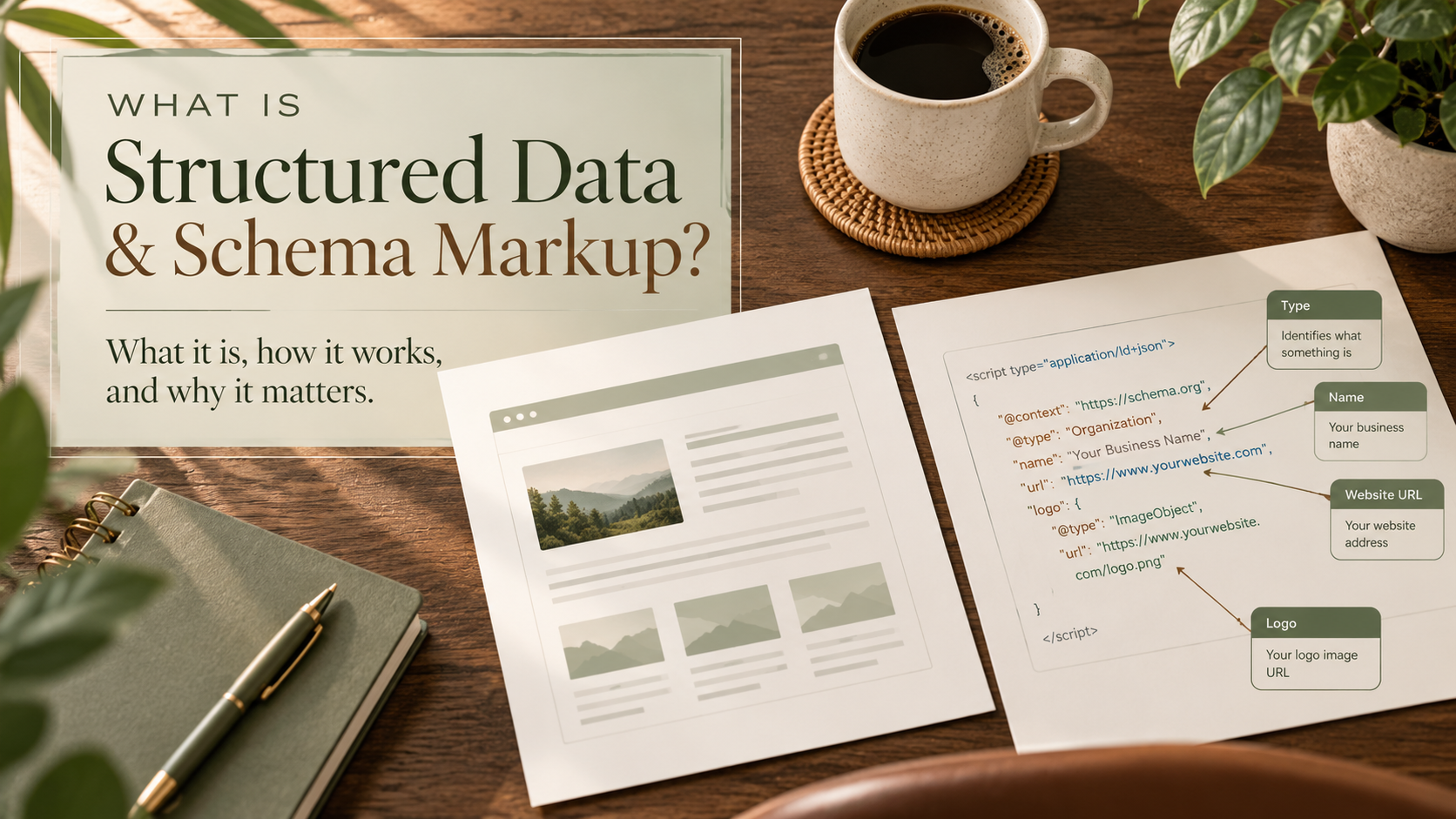
You may have heard that adding schema markup to your website can help Google understand your content. But what exactly is schema markup, how does it work, and is it something your website actually needs?
Structured data is information organized in a standardized way so search engines and other computer systems can better understand what a webpage is about. Schema markup is the code that uses a shared vocabulary to identify specific details on that page, such as your business name, services, products, articles, or events.
Think of it as giving search engines a little extra context instead of expecting them to figure everything out on their own.
And the good news? You don't need to be a programmer to understand the basics or start using it.
In this guide, I'll explain structured data and schema markup in everyday language, show you what the code actually looks like, and walk you through how to check whether your website already uses it.
We'll also cover how schema fits into SEO, AEO, and GEO, what it can realistically help with, and some common mistakes worth avoiding.
First, What's the Difference Between Structured Data and Schema Markup?
These two terms are often used interchangeably, but they're not quite the same thing.
Structured data is the general idea of organizing information in a consistent, machine-readable format.
Schema markup is a specific way of describing that information using a shared vocabulary, most commonly the vocabulary provided by Schema.org.
Here's a simple example.
Imagine you have a webpage about your business. A visitor can read it and see that you offer website design services, where you're located, and how to contact you.
But a search engine has to interpret all that information from the text and structure of the page.
Schema markup gives you a way to label certain facts more explicitly.
Instead of only displaying:
Corri Gidden LLC provides website design and SEO services.
The markup can identify:
The organization name: Corri Gidden LLC
The website: corrigidden.com
The business type: Organization
The services: Website design, SEO, and digital marketing
The visitor doesn't need to see these labels. They're written in a format that software can process.
An easy way to picture it
Think about a grocery store.
Without labels, you might walk into a room full of products and eventually figure out what everything is. You can recognize the apples, bread, coffee, and cereal, but you have to examine each item.
Now imagine the store has clearly labeled aisles and shelves.
You can find what you're looking for much more easily.
Schema markup works a little like those labels. It provides organized clues about what information represents.
That doesn't mean search engines are incapable of understanding a webpage without schema. They're already very good at interpreting content.
Schema simply gives them another way to understand specific details more explicitly.
What Is Schema.org?
Schema.org is a collaborative project that maintains a shared vocabulary for describing information on websites. You can explore it at schema.org.
It provides standardized terms for things like:
Organizations and local businesses
Articles and blog posts
Products and offers
Events
Recipes
People
Services
Videos
Frequently asked questions
These terms are called schema types. Each type has properties that describe it.
For example, an Organization can have properties such as name, url, and logo.
An Article can include a headline, author, publication date, and image.
A Product can include a name, description, price, and availability, when applicable.
Using a shared vocabulary means different systems can interpret these labels more consistently.
However, an important distinction is that Schema.org supports many more types and properties than Google uses for special search-result features.
Just because a type exists on Schema.org doesn't mean Google will display something special for it.
How Does Schema Markup Actually Work?
Let's use a simple example.
Imagine a business publishes an article titled:
How to Prepare Your Website for a Redesign
Visitors see the article title, author, publication date, and content on the page.
Behind the scenes, the website might also contain structured data identifying that content as a blog article.
That code can tell search engines:
This page contains a blog article.
Here's the article's headline.
Here's the publication date.
Here's who published it.
Here's the webpage address.
When a search engine crawls the page, it may read that structured data along with the visible content.
The markup doesn't replace the article. It provides additional information about it.
The three basic parts of schema markup
| Component | What it does | Example |
|---|---|---|
| Type | Identifies what something is | Article |
| Property | Identifies a detail about it | headline |
| Value | Provides the actual information | How to Prepare Your Website for a Redesign |
Once you understand these three pieces, schema becomes much less intimidating.
What Is JSON-LD, and Why Is It Used for Schema?
Here's where people sometimes get nervous because we start talking about code.
But stay with me. This is simpler than it sounds.
JSON-LD stands for JavaScript Object Notation for Linked Data.
It's a format for organizing structured data that can be added to a webpage without changing the content visitors see.
Google generally recommends JSON-LD when it's practical to use because it's relatively easy to implement and maintain.
There are other formats, including Microdata and RDFa, but JSON-LD is a common choice for modern websites.
What does JSON-LD look like?Not all AI systems work the same way.
Here's a simplified example for a fictional business:
A simple JSON-LD example
Educational example{
"@context": "https://schema.org",
"@type": "Organization",
"name": "Example Design Studio",
"url": "https://www.example.com"
}Identifies the vocabulary used to describe the information.
Identifies what kind of thing is being described.
Provides the organization's name.
Provides the organization's website address.
This fictional example explains the structure of JSON-LD. Replace sample details and validate your markup before using it on a real website.
That might look technical, but let's translate it.
@context tells the system which vocabulary is being used.
@type identifies what kind of thing is being described. In this example, it's an organization.
name provides the organization's name.
url provides its website address.
That's it. The code is essentially saying:
This is an organization called Example Design Studio, and this is its website.
The example is intentionally simple. More detailed markup can include additional properties, depending on the type of content and the applicable guidelines.
Important: This is an educational example, not code you should paste onto your own website unchanged. Your markup should accurately describe your actual business and webpage.
What Types of Schema Markup Should a Business Website Consider?
You don't need every type of schema available. The right markup depends on what your website contains and what information you're trying to describe.
Here are several types worth understanding.
1. Organization schema
Organization schema describes a business or organization. It can identify details such as the organization's name, website, logo, and other relevant information. This is useful for helping search systems understand which organization a website represents.
For example, a marketing company could use organization markup to identify its official website and business name.
2. LocalBusiness schema
LocalBusiness schema is designed for businesses with a qualifying local presence. Depending on the business, relevant information might include its name, address, phone number, business hours, and location.
This can be especially useful for businesses with physical locations that customers visit.
A quick note for service-area businesses: Don't add a public street address simply because you've seen one in a schema example. Your markup should accurately represent how your business operates and follow the requirements of the search feature you're targeting.
3. Article or BlogPosting schema
This type identifies written content such as blog posts, news articles, or educational articles. It can describe information including:
Article headline
Author
Publication date
Date last modified
Featured image
Publisher
If your business publishes helpful blog content, this is one type worth checking.
Many website platforms already generate some article-related structured data automatically, so it's important to inspect what's already there before adding more.
4. Product schema
Product schema describes products offered on a website. Depending on the product and the applicable search feature, it can include information about price, availability, product images, and other relevant details.
For an online store, accurate product markup can help search engines interpret product information and may support eligibility for certain product search features.
However, product markup should match the actual product page. Don't add made-up prices, availability, or customer ratings.
5. BreadcrumbList schema
Breadcrumbs show where a page fits within a website's structure.
For example:
Home → Blog → SEO Tips → Structured Data Guide
Breadcrumb markup helps identify that navigation path.
It can also support how breadcrumb information is presented in search results.
6. FAQPage schema
FAQPage schema identifies pages containing questions and answers. This one deserves special attention because there's a lot of outdated advice online.
You may have seen articles claiming that adding FAQ schema will make your questions appear directly beneath your Google search listing. That used to be a more common opportunity. Google significantly restricted FAQ rich results, generally limiting them to well-known, authoritative government and health websites.
For most ordinary business websites, adding FAQPage markup should not be expected to produce visible FAQ rich results.
That doesn't mean FAQs themselves are unhelpful.
Answering real customer questions is still valuable for visitors, traditional search, and content clarity. The important thing is not to confuse useful FAQ content with guaranteed search enhancements.
7. Service schema
Service schema can describe services a business provides. For example, a website design company might have pages dedicated to custom website design, SEO, or website maintenance.
Service markup may help express what those pages describe, but it's important to understand that Google doesn't offer a dedicated rich-result feature for every Schema.org type.
My recommendation: Start with the types that accurately match your website's most important content, rather than trying to add as many schema types as possible.
Does Schema Markup Actually Help SEO?
Yes, schema markup can support SEO, but probably not in the way some marketing articles suggest.
Schema markup is not a shortcut to higher rankings.
Its primary value is helping search engines interpret structured information and, for supported types, making pages eligible for certain enhanced search appearances known as rich results.
What are rich results?
Rich results are search listings that may display additional information beyond a standard title, URL, and description. Depending on the content and Google's supported features, that might include product information, recipe details, or other enhanced elements.
For example, a product search result might display price and availability information when the page meets the relevant requirements.
That additional information may help someone decide whether to visit a website.
But here's the important part:
Correct schema markup makes a page eligible for applicable features. It does not guarantee that those features will appear.
Google makes that distinction clear in its structured data guidelines.
What schema doesn't do
Schema markup does not automatically:
Move your website to the top of Google.
Fix weak or unhelpful content.
Replace keyword research or technical SEO.
Guarantee a rich result.
Make every page eligible for special search features.
Generate more leads or sales on its own.
Think of schema as one part of a larger SEO strategy.
Your website still needs useful content, good navigation, accessible pages, relevant information, and a positive visitor experience.
Does Schema Markup Help with AEO and GEO?
This is a particularly interesting question because of how search experiences are evolving.
If you read my previous article about SEO, AEO, and GEO, you'll remember that these three approaches overlap.
SEO focuses on traditional organic search visibility.
AEO focuses on helping content provide clear answers to questions.
GEO focuses on making information useful and understandable in generative AI search environments.
So where does schema fit in?
Schema and AEO
Schema can provide structured clues about a page's content. But when it comes to answering customer questions, clear writing is still essential.
For example, imagine someone searches:
How often should a business update its website?
A useful webpage might provide a direct answer near the beginning, explain what factors affect the answer, and organize the rest of the information under descriptive headings.
That's valuable answer-focused content. Schema may complement that content where appropriate, but adding FAQ markup alone won't turn a vague answer into a helpful one.
Schema and GEO
Generative AI systems may use information from webpages and other sources to produce responses. Accurate structured data can provide machine-readable context about a business, article, product, or other entity.
However, there is no reliable basis for promising that adding schema will cause a particular AI system to mention, cite, or recommend your business. AI-powered search systems have different ways of retrieving and evaluating information, and not all use schema in the same way.
The practical approach is to make your content accurate, useful, accessible, and easy to understand, with relevant structured data as a supporting element.
The takeaway: Schema can help clarify information, but it's not a magic switch for SEO, AEO, or GEO.
If you'd like a deeper explanation of how these three optimization approaches differ, read my related article: SEO vs. GEO vs. AEO: What's the Difference, and How Do You Optimize for All Three?
How to Check Whether Your Website Already Has Schema Markup
Before adding any code, I recommend checking what's already on your website. This is especially important if you're using a website builder or SEO plugin, because some structured data may already be generated automatically.
Here's how to start.
Step 1: Open Google's Rich Results Test
Visit: https://search.google.com/test/rich-results
Enter the URL of a public webpage you want to check.
For example, you could test your homepage, a blog post, or a product page.
Step 2: Run the test
Google will analyze the page and report supported structured data types it can detect for rich-result purposes. Depending on the page, you may see eligible items, warnings, or errors.
If you see an error, don't panic.
Some errors indicate missing required information for a particular search feature. Others may be related to how the page or markup is configured.
Step 3: Check with the Schema Markup Validator
Next, visit:
This tool can help identify Schema.org markup beyond the types supported by Google's Rich Results Test.
That distinction matters.
A page might contain valid schema markup even when Google's Rich Results Test doesn't identify an eligible rich-result feature.
Step 4: Review what the results actually mean
Ask yourself:
What schema types are present?
Do they accurately describe the page?
Are any important details missing?
Is there duplicate or conflicting markup?
Does the markup include information that isn't visible or supported by the page?
You don't need to fix every warning immediately, but you should investigate errors and understand whether they're relevant to the feature you're trying to support.
How to Add Schema Markup to Your Website
The process depends on your website platform.
In many cases, the easiest approach is to use existing platform features or a reputable plugin rather than manually writing every line of code.
Adding schema markup in Squarespace
If you're using Squarespace, start by checking what structured data your site already outputs. Squarespace can generate certain structured data automatically, depending on the page type and current platform functionality.
For additional custom markup, a common method is using JSON-LD in an appropriate code-injection area, where supported by your plan and page configuration.
The general process is:
Identify the page and the schema type you want to add.
Check whether Squarespace already generates suitable markup.
Create accurate JSON-LD using the correct Schema.org properties.
Add it through a supported code-injection method for the relevant page.
Save and publish your changes.
Test the live URL using the Rich Results Test and Schema Markup Validator.
Be careful about adding the same organization or article markup twice.
Also, a normal visible HTML Code Block used to design part of a blog post isn't necessarily the best place for site-wide structured data. Code injection and page-level configuration should be selected based on the specific implementation.
Squarespace's available injection options can vary by plan and site configuration, so verify what your site supports before adding scripts.
Adding schema markup in WordPress
WordPress users often have more plugin-based options. For example, SEO plugins may generate organization, article, breadcrumb, and other markup based on website settings and content.
A practical approach is to:
Check which SEO or schema plugins are installed.
Review the site's existing structured data.
Configure the appropriate business and content details.
Add page-specific markup only where needed.
Test the resulting page.
Avoid enabling multiple plugins that generate conflicting schema for the same content.
And remember that installing a schema plugin isn't the same as having accurate markup. The settings still matter.
What about Wix, Showit, and other website builders?
The same basic principles apply. Some platforms offer built-in structured data, while others provide custom code or integration options.
The exact steps depend on the platform, template, plan, and available settings.
Before adding anything manually, check what's already present and whether your website builder provides a supported method for making changes.
A Realistic Example: Adding Article Schema to a Blog Post
Let's return to the example of a website redesign article.
Here's what a basic JSON-LD example could look like:
<script type="application/ld+json">
{
  "@context": "https://schema.org",
  "@type": "BlogPosting",
  "headline": "How to Prepare Your Website for a Redesign",
  "author": {
    "@type": "Person",
    "name": "Jordan Example"
  },
  "datePublished": "2026-10-01",
  "mainEntityOfPage": {
    "@type": "WebPage",
    "@id": "https://www.example.com/blog/website-redesign"
  }
}
</script>
Here's what that code is communicating:
BlogPosting: This content is a blog article.
headline: This is the article's title.
author: This identifies the person credited with writing it.
datePublished: This identifies the publication date.
mainEntityOfPage: This connects the article to its webpage.
Additional properties, such as relevant images and publisher details, may be appropriate depending on the content and the applicable documentation.
Again, this is a simplified fictional example to help you understand the structure. Before using code like this on a real website, replace the sample information, check the applicable requirements, and validate the finished markup.
Seven Common Schema Markup Mistakes to Avoid
1. Adding schema that doesn't match the page
If a webpage is about website maintenance, don't label it as a product, recipe, or unrelated service just because that schema type offers a particular search feature.
The markup should accurately describe the content.
2. Adding fake reviews or ratings
Never invent reviews, ratings, or testimonials for structured data.
Google has specific requirements around review markup, including restrictions on certain self-serving reviews. Adding stars to your code doesn't mean Google will display them.
3. Duplicating schema without checking existing markup
A website platform, SEO plugin, and custom script might all generate markup.
Multiple structured data items aren't automatically a problem, but conflicting or redundant descriptions can create confusion and make maintenance harder. Check first.
4. Assuming valid schema guarantees rich results
A validation tool may confirm that your markup is correctly formatted or eligible for a supported feature.
That doesn't guarantee Google will display the enhancement.
5. Using outdated schema advice
Search features change. A tutorial written several years ago might describe rich-result opportunities that are no longer widely available.
Always compare advice against current search engine documentation.
6. Adding schema and never checking it again
Websites change over time. You might update an article, change a product's price, rename a business, or move a webpage.
Structured data needs to stay consistent with those changes.
7. Treating schema as a replacement for useful content
This is probably the most important mistake.
Schema markup is not a substitute for clear writing, accurate information, and a website that serves its visitors well. If your page doesn't answer the customer's question, adding structured data won't fix the underlying problem.
How Do You Know If Schema Markup Is Helping?
Measuring the effect of schema can be a little tricky because search performance depends on many factors. But there are several useful things you can monitor.
| What to check | Where to look |
|---|---|
| Structured data errors and warnings | Google Rich Results Test |
| General Schema.org validation | Schema Markup Validator |
| Eligible rich-result enhancements | Google Search Console, where supported |
| Search impressions and clicks | Google Search Console |
| Website visits and engagement | Google Analytics 4 |
| Inquiries and purchases | Website analytics and CRM records |
If you're evaluating whether a schema change helped, record the date of the change and compare performance over time. Try not to change several major SEO elements at once if you want to understand the effect of a specific update.
Also, remember that changes in impressions or clicks don't automatically prove that schema caused the difference.
Search demand, competitors, rankings, seasonality, and other website updates can all affect performance.
Your Beginner-Friendly Schema Markup Checklist
If you're not sure where to begin, here's a simple action plan.
Your schema markup checklist
Interactive checklistYou don't have to complete all of this in one afternoon. Start with your most important pages, understand what's already there, and make improvements as needed.
Frequently Asked Questions About Structured Data and Schema Markup
Is structured data the same as schema markup?
Not exactly. Structured data is the broader concept of organizing information in a standardized format. Schema markup is a way to describe webpage information using a shared vocabulary such as Schema.org.
Do all websites need schema markup?
Not every website needs extensive custom schema markup. Many websites benefit from relevant structured data, but the appropriate types depend on the content and what the platform already provides.
Does schema markup improve Google rankings?
Schema markup is not a guaranteed ranking boost. It can help Google interpret information and may make eligible pages available for certain rich-result features, but it doesn't replace broader SEO work.
Can schema markup help my business appear in AI search results?
Accurate schema may provide useful context, but it doesn't guarantee that AI-powered search systems will cite or recommend your website. Helpful content, accessibility, credibility, and other factors remain important.
Can I add schema markup without knowing how to code?
Often, yes. Many website builders and SEO plugins generate some structured data automatically or provide configuration options. Custom markup may require additional technical work, but you can still learn how to check and validate it.
Is JSON-LD better than other schema formats?
Google generally recommends JSON-LD when practical because it's relatively easy to implement and maintain. Microdata and RDFa are also supported formats for relevant Google search features.
Can too much schema markup hurt my website?
The amount alone isn't necessarily the issue. Problems arise when markup is inaccurate, misleading, irrelevant, conflicting, or violates search engine guidelines. Adding more types simply for the sake of having them isn't a useful strategy.
How often should I check my schema markup?
Check it when making meaningful changes to your website, such as redesigning pages, updating products, changing business information, or adjusting plugins and integrations. Periodic reviews are also helpful.
Final Thoughts: Schema Markup Is Helpful, but It Isn't Magic
Structured data and schema markup can sound complicated when you first encounter them. But once you understand the purpose, the idea is straightforward:
You're giving search engines organized information that helps describe what your website contains.
That information may support search understanding and eligibility for certain search features. It can also be one useful part of preparing your website for an online search environment that increasingly includes direct answers and AI-powered experiences.
But it works best alongside the fundamentals: useful content, a well-organized website, accurate business information, and a clear path for visitors to take the next step.
You don't need to become a developer to start understanding your website's structured data. Sometimes the most valuable first step is simply checking what you already have.
Need help understanding what's happening behind the scenes on your website?
At Corri Gidden LLC, I help businesses and organizations with website design, SEO, content development, and digital marketing strategy. Whether you're based in North Texas or elsewhere in the country, I can help you identify practical improvements that make your website a more useful asset for your business.
Visit Corri Gidden LLC to learn more about my services or get in touch.